Jibas

Your learning center, sales and team in one workspace.

Jibas is a workspace that keeps track of attendance, payments and debts. Open today for learning centers and schools. Sales, HR, POS and stock, plus other modules, are in the pilot program.

Submit a request: our specialist will contact you to agree on the plan and setup.

15
modules in one workspace
13
industry modules, from education to retail
3
workspace languages: Uzbek, Russian, English
0 UZS
charged during the pilot

Every role gets its own desk

Owners, managers, teachers, operators and sales each see their own work in the workspace: the figures and actions they need on the first screen.

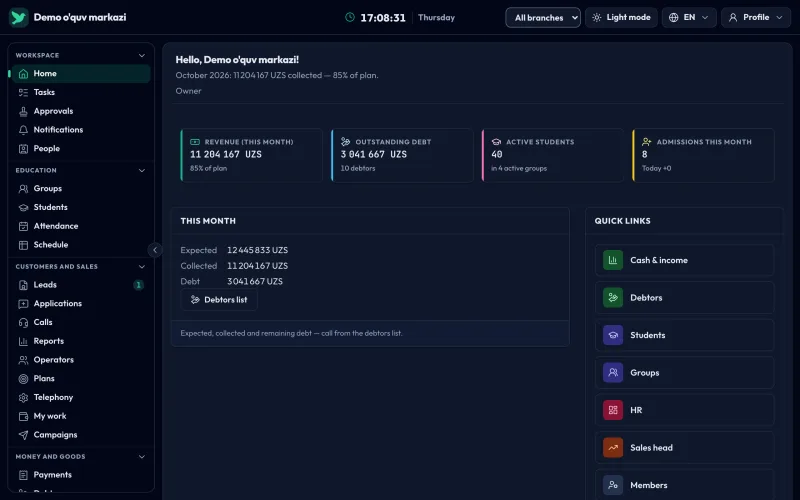
Owner

Monthly revenue, outstanding debt and plan progress at a glance, by branch.
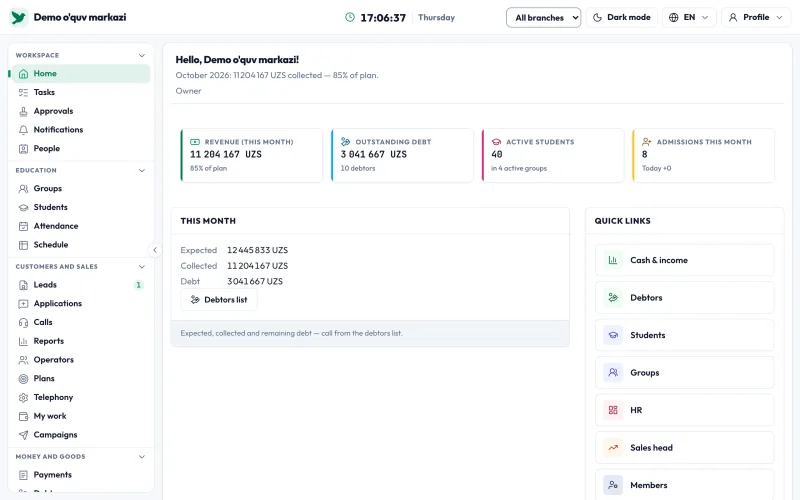
Workspace home page: this month's revenue, progress against plan, outstanding debt, active students, new admissions and quick linksWorkspace home page: this month's revenue, progress against plan, outstanding debt, active students, new admissions and quick links
Owner · Demo data

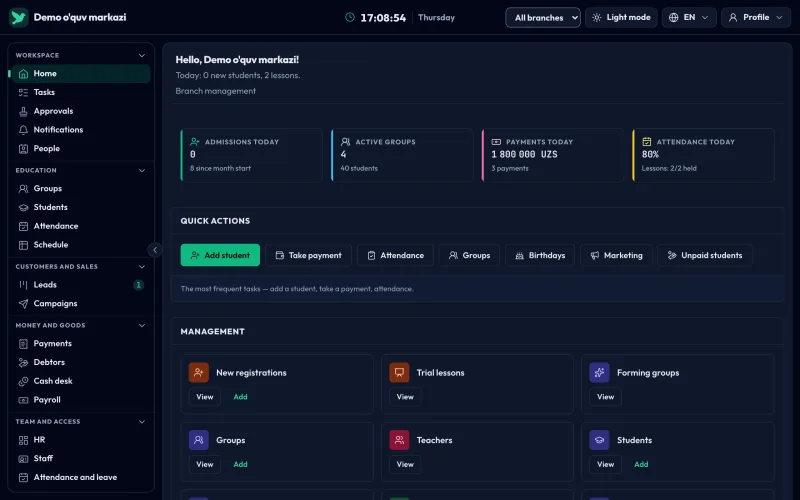
Manager

Today's admissions, payments and groups; add a student or take a payment in one click.
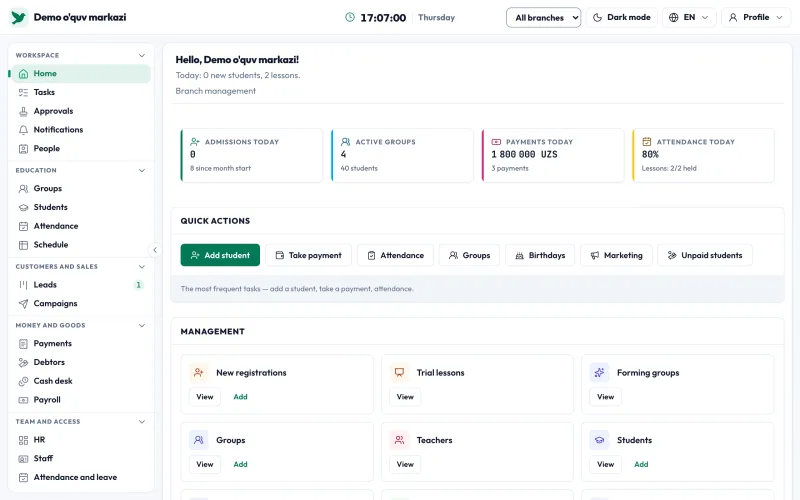
Manager desk: today's admissions, active groups, today's payments and attendance, quick actions and management cardsManager desk: today's admissions, active groups, today's payments and attendance, quick actions and management cards
Manager · Demo data

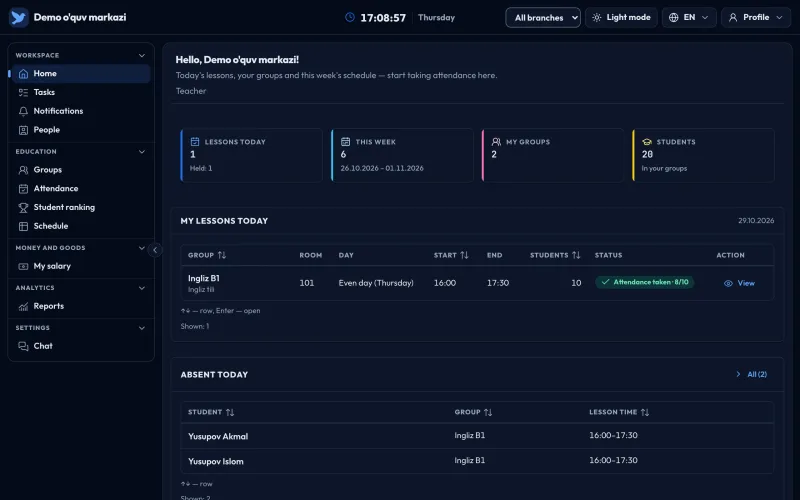
Teacher

Today's lessons, groups and the week's timetable; attendance starts here.
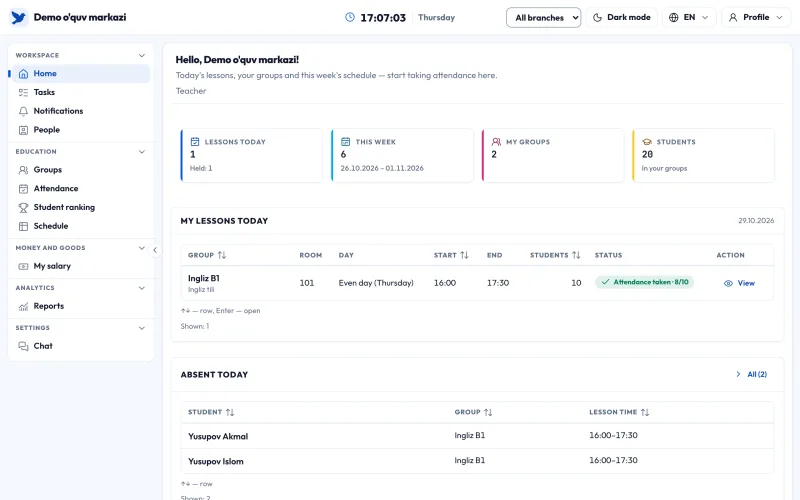
Teacher desk: today's and this week's lessons, groups and student count, today's lesson listTeacher desk: today's and this week's lessons, groups and student count, today's lesson list
Teacher · Demo data

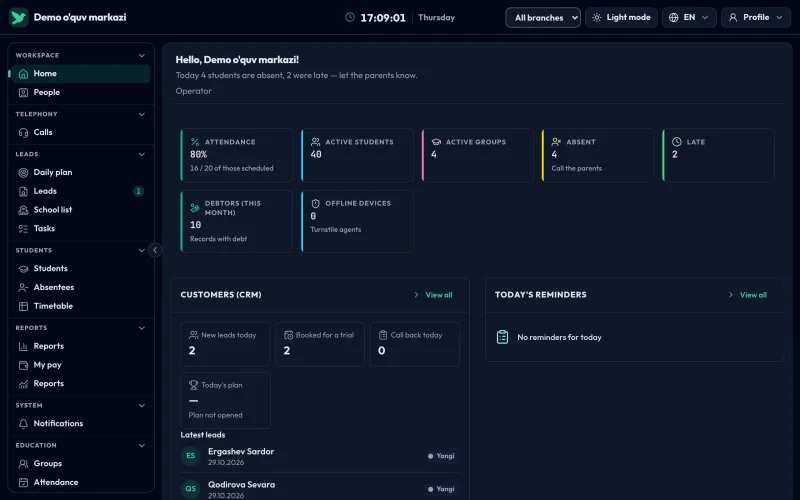
Operator

Attendance, absences and debtors; calls to parents and lead follow-up. Pilot
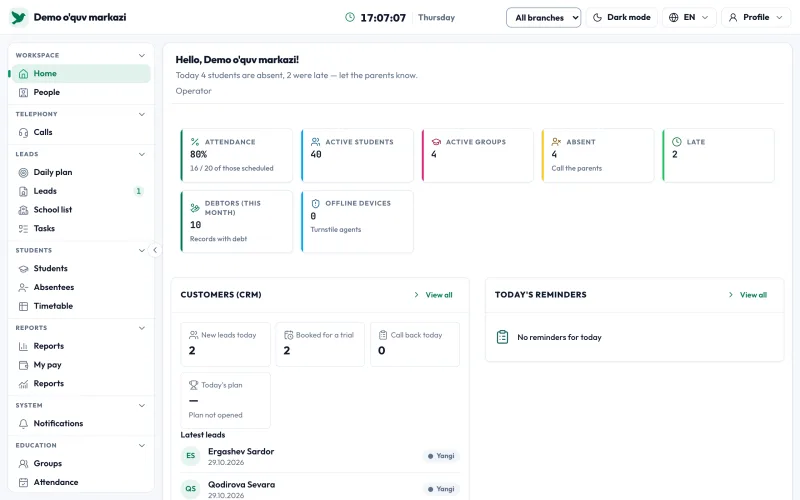
Operator desk: attendance, absences and late arrivals, debtors, leads and remindersOperator desk: attendance, absences and late arrivals, debtors, leads and reminders
Operator · Demo data

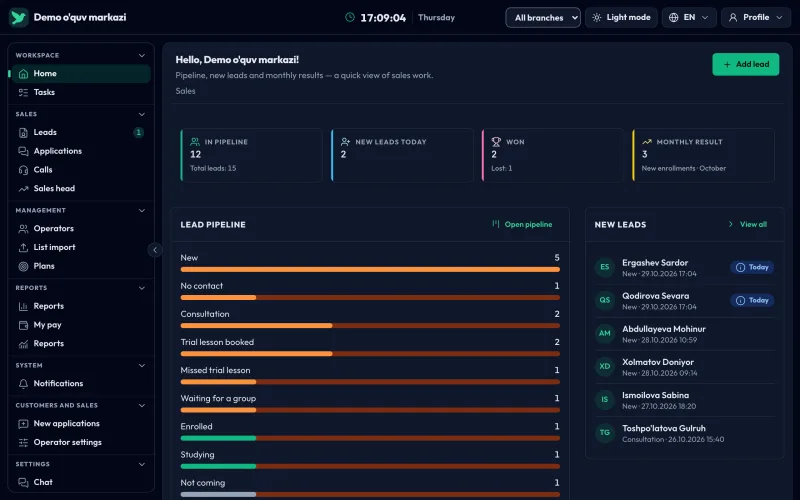
Sales

Lead funnel, new leads and the monthly result. Pilot
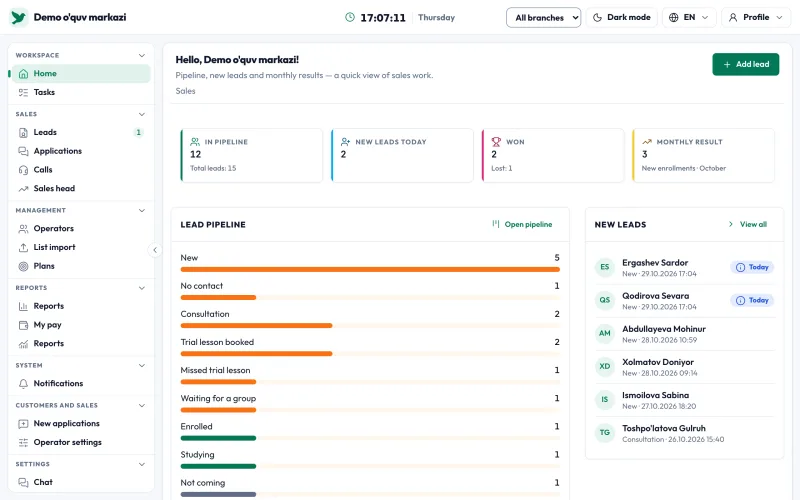
Sales desk: leads in the funnel, today's new leads, sales and the lead funnelSales desk: leads in the funnel, today's new leads, sales and the lead funnel
Sales · Demo data

From lesson to cash desk: everyday work in one place

The Education and Finance modules are open today. Teachers take attendance and give grades. Managers, cashiers and the owner see the same numbers.

Lessons and attendance

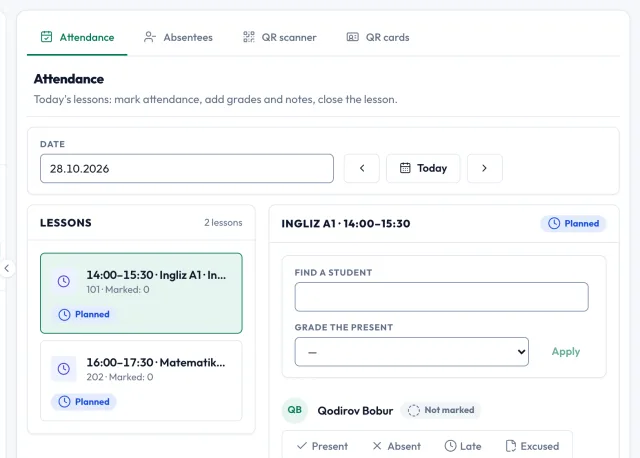
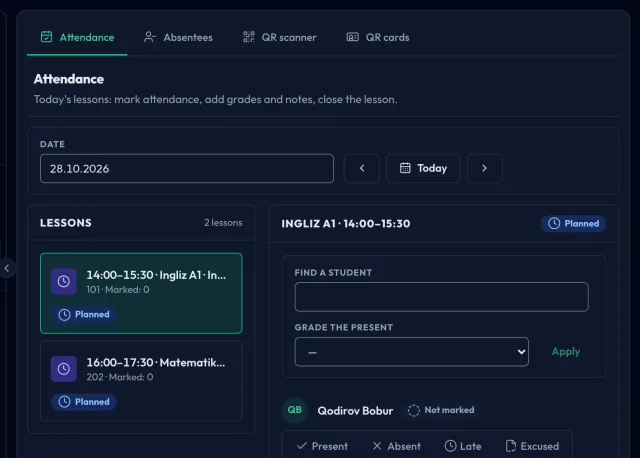
Teachers see their lessons for today, mark each student and grade those who attended. When a lesson is closed, unmarked students are recorded as absent.

  • Present, absent, late or excused, in one click
  • A, B, C or D grades for students present or late
  • Teachers have a limited marking window, then a manager makes corrections

Open

Attendance page: date picker, list of lessons for the selected day and the attendance panelAttendance page: date picker, list of lessons for the selected day and the attendance panel
Lessons and attendance · Demo data

Students

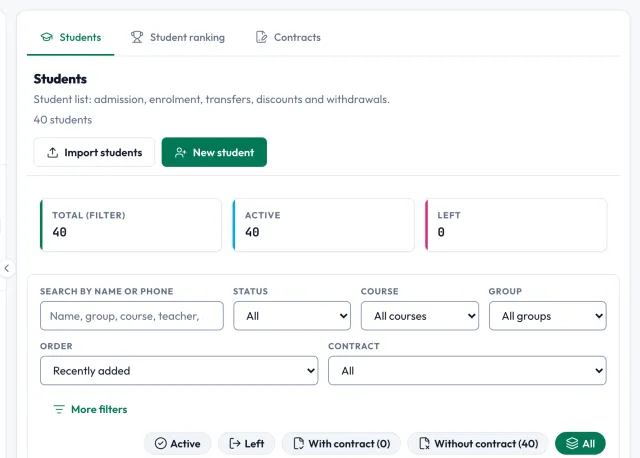
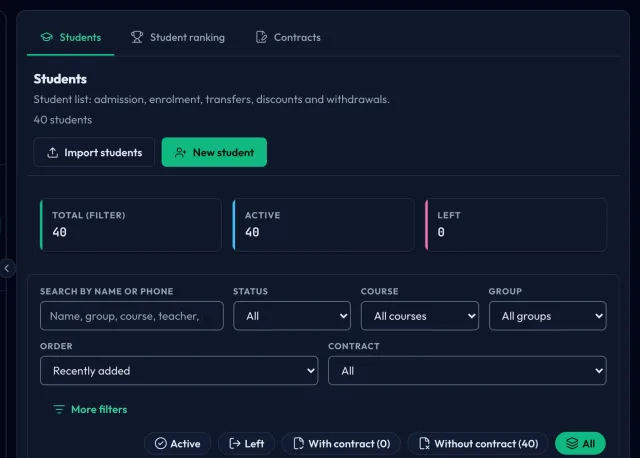
All students in one list: search by name or phone, filter by group, course and status. Each student has their own profile.

  • Import from an Excel or CSV file, error rows listed separately
  • The profile shows the parent's phone, groups and contract
  • Export the filtered list to an Excel file

Open

Student list: search, filters and a table with group, phone and status columnsStudent list: search, filters and a table with group, phone and status columns
Students · Demo data

Debtors

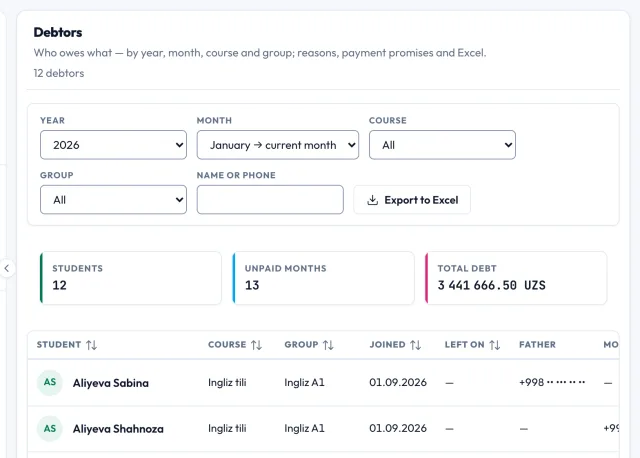
Debt is calculated for each month as the difference between the expected and paid amounts, with discounts and pauses taken into account. Parents' phone numbers are right in the list.

  • Filter by month, course and group, search by name or phone
  • Each student's monthly breakdown and recent payments
  • Record the promised payment date

Open

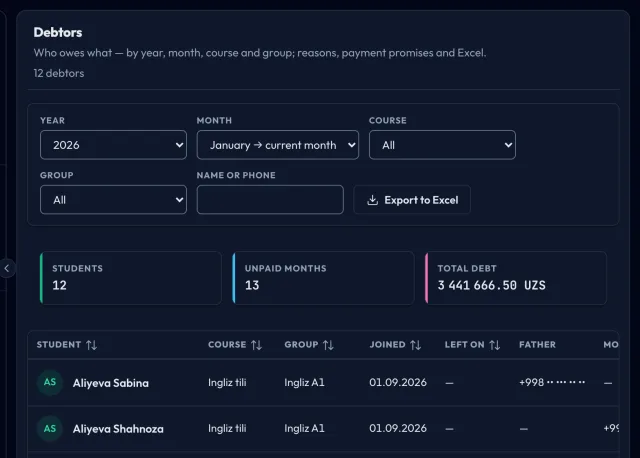
Debtors list: month, course and group filters, with the amount paid and total debt for each studentDebtors list: month, course and group filters, with the amount paid and total debt for each student
Debtors · Demo data

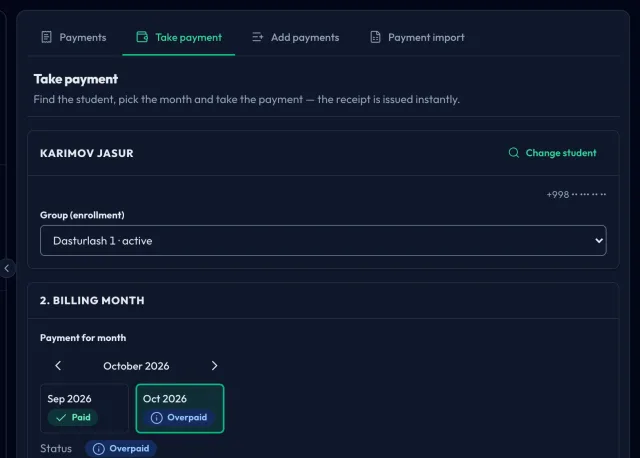
Take payment

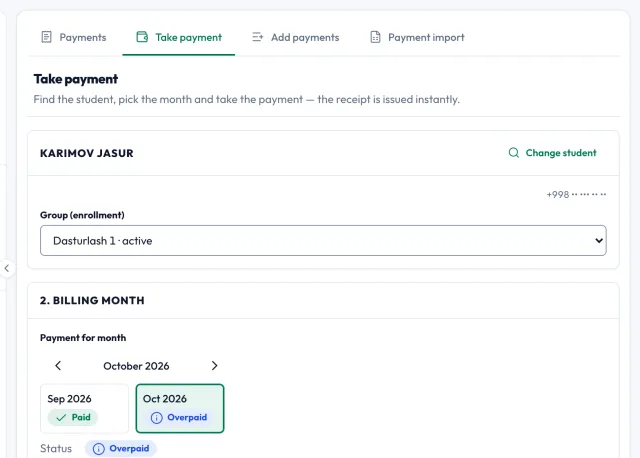
The cashier finds the student, picks the payment month, and enters the amount and payment method. After the payment, the cashier gets the Jibas receipt as a PDF, and the debt recalculates on its own.

  • A method for every payment, a transaction ID for terminal payments
  • Open and close shifts, with the cash difference calculated on close
  • Daily cash book: revenue by payment method, expenses and remaining cash

Open

Take payment page: steps to find the student, choose the payment month, and enter the amount and payment methodTake payment page: steps to find the student, choose the payment month, and enter the amount and payment method
Take payment · Demo data

More modules in the pilot program

The platform team enables these modules for your organization separately. Features may change, and pricing will be announced when the pilot ends. Nothing is charged during the pilot.

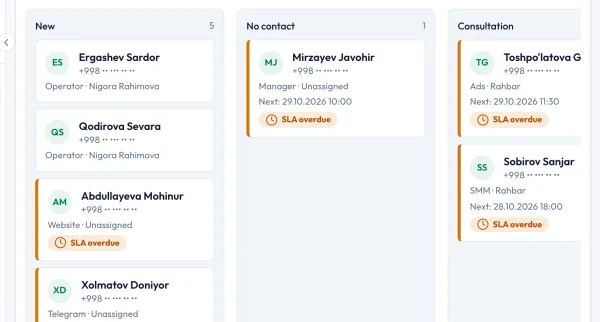
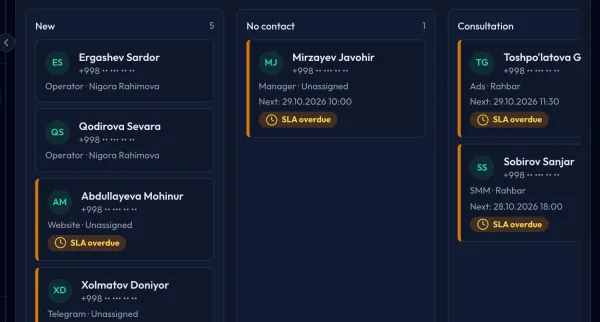
Sales module: the lead pipeline as a kanban board, one column per stageSales module: the lead pipeline as a kanban board, one column per stage
Demo data

Sales Pilot

Leads by stage on a kanban board, calls on the lead card. Attendance at a trial lesson updates the lead's stage on its own.
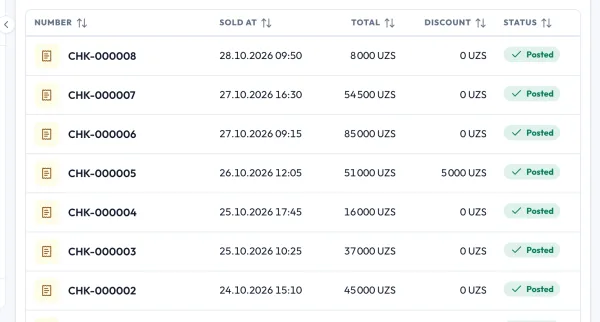
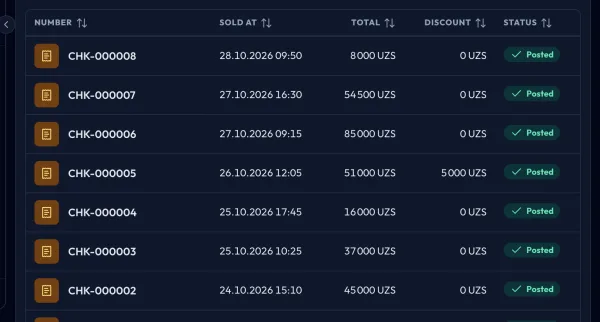
POS and stock module: list of sales receipts with number, time, amount and statusPOS and stock module: list of sales receipts with number, time, amount and status
Demo data

POS and stock Pilot

Receipts, returns and stock levels. The POS app keeps sales going even when the internet drops. A Jibas receipt does not replace a fiscal receipt.
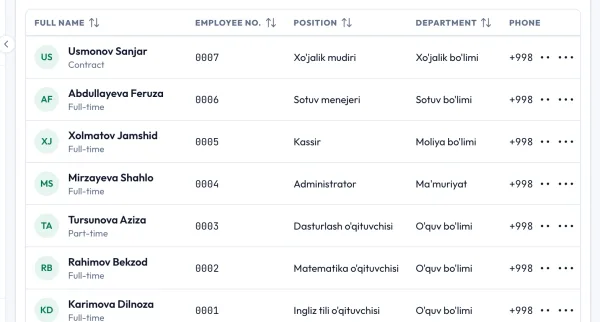
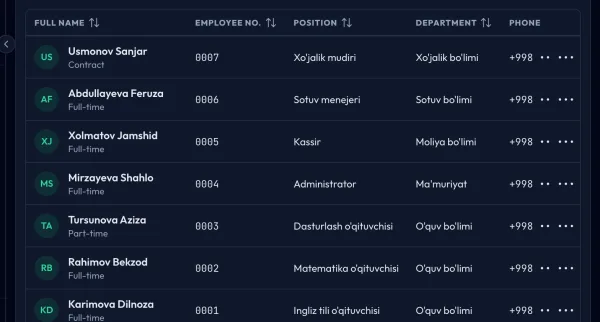
HR module: staff list with position, department, phone and status columnsHR module: staff list with position, department, phone and status columns
Demo data

HR Pilot

Employee profiles and employment history, staff attendance, leave requests with approval, and an application form link for vacancies.

Join the pilotYou choose the modules you need together with our specialist.

15 modules, one workspace

Each module is enabled separately and works on the same database: when a payment is recorded, the debt and turnstile status update on their own.

Education

  • EducationGroups, classes, attendance, grades, timetableOpen
  • LMSOnline lessons, assignments, automatic gradingPilot
  • Language learningPlacement test, practice, certificatePilot
  • TextbooksProtected e-textbooksPilot

Customers and team

  • SalesLeads, pipeline, callsPilot
  • SMMSocial media, inbox, auto-replyPilot
  • HRStaff, hiring, leave, attendancePilot
  • Access controlHikvision turnstiles and access rulesPilot

Money

  • FinancePayments, debts, cash desk, expenses, payrollOpen

Trade

  • POS and stockReceipts, returns, stock levelsPilot
  • Wholesale marketOrders between producers and storesPilot

Resources and AI

  • AIAI service for every modulePilot
  • Resources (ERP)Assets, internal purchasing, budgetPilot

Foundation

  • CorePeople, branches, roles, documents, notificationsOpen
  • BillingPlan, trial period, limitsOpen

Open included in the plan, works once your organization is set up. Pilot enabled by the platform team on request.

Your data stays yours

Each organization's data is isolated at the database level. Who did what stays in the log, and you manage your staff's access yourself.

  • Database-level isolation

    Every query returns only your organization's records: data from other organizations never reaches it.

  • Two-step sign-in

    Any user can turn on two-step sign-in with an authenticator app (TOTP) in their settings.

  • Append-only audit log

    Key actions are logged with who performed them and when. Entries cannot be edited or deleted.

  • Remote sign-out

    If a phone is lost, close its session remotely from the sessions list in your profile.

  • Encrypted keys

    Keys for payment, telephony and social media connections are stored encrypted in the database.

  • Read-only mode

    If your subscription ends, your data is not deleted right away: the workspace stays in read-only mode for a set period.

Plans for learning centers and schools

Prices are per month, in UZS, per organization: no separate fee for each staff member.

Edu Free

Free

no time limit

  • 2 staff members
  • 1 branch

Edu Business

1 290 000 UZS

per month

  • 1000+ active students
  • Unlimited staff
  • Unlimited branches
Request access

Plans are activated on request: submit a request and our specialist will contact you to complete the setup.

Compare plans in detail

Questions and answers

Short answers about setup, payment and your data.

How do I pay for my subscription?

You agree on the plan and payment terms with our specialist. Once the platform team confirms the payment, your subscription is activated or extended. Online subscription payment is not available yet.

Can I move over from Excel or another system?

Yes. Import your student list from an Excel or CSV file: rows with errors are shown separately, so you can fix them and upload again. If you are moving from another system, you agree on the process with our specialist.

What happens if the internet goes down?

The web workspace needs an internet connection. The staff and POS apps keep saving records offline and send them once the connection is back. The apps are currently in testing.

What can my staff see?

Each staff member sees the sections their role allows. Roles: owner, manager, teacher, cashier and others. Teachers work with their own groups, and a staff member's access can also be limited by branch.

Can I export my data to Excel?

Yes. Export students, debtors, payments and other lists to an Excel file right from the page. If your subscription ends, your data is not deleted right away: for a set period, you can still view your records and export them to Excel.

Contact our specialist about setup

The Education and Finance modules come with a plan, the others are in the pilot program.